Last Updated on by Azib Yaqoob
The short version
- Checkout and the thank-you page don’t run your theme, so any purchase tag in
theme.liquidor theme GTM never fires. - Since August 26, 2026, “Additional scripts” no longer runs on any Shopify plan. Purchase tracking has to come from the Google & YouTube app or a custom pixel.
- Most “missing purchases” are really misattributed purchases: the event arrives, but GA4 can’t connect it to the visitor’s session.
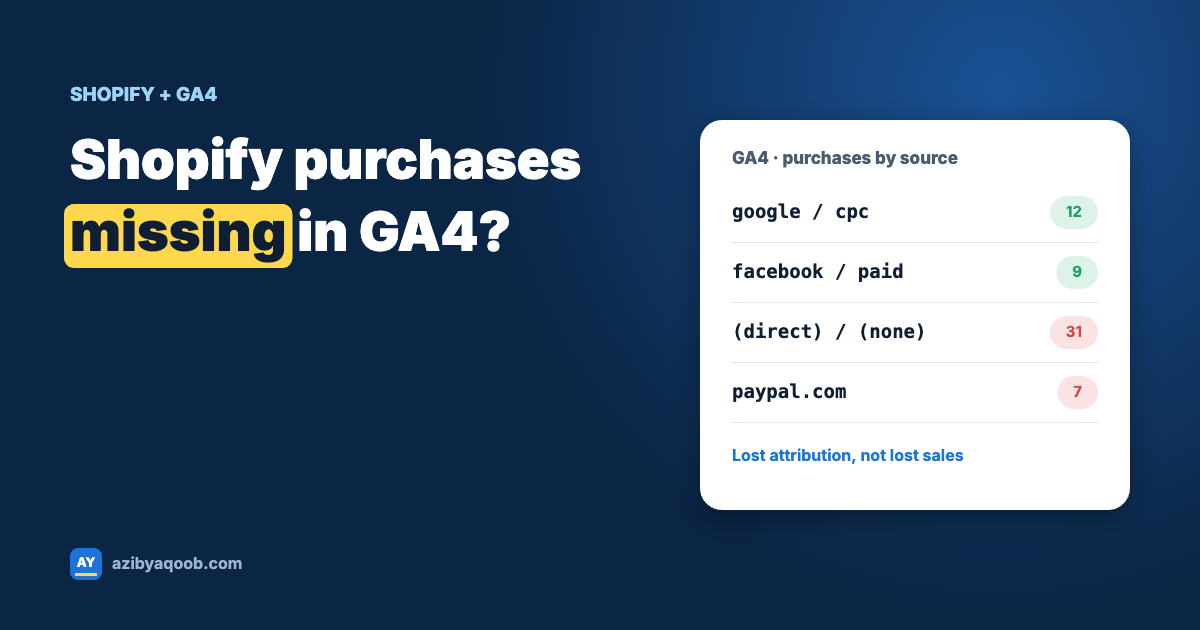
When GA4 seems to be missing purchases, the first question to ask is: missing, or just not where you expect them? Those are two different problems with two different fixes, and most guides treat them as one.
If purchases are genuinely missing, something isn’t firing. If they’re showing up but under “(direct) / (none)”, “(not set)” or paypal.com, the event fires fine but has lost its connection to the visit that led to it. In practice, the second problem is more common, and it’s the one that quietly ruins your channel reports.
So this guide is in two parts: first, why purchases don’t arrive at all; then, why they arrive without a source.
Table of Contents
How purchase tracking actually works on Shopify now
This is the part most people miss, so it’s worth a minute.
Your storefront pages (home, collections, products, cart) are rendered by your theme. Anything you put in theme.liquid, including Google Tag Manager, runs there.
Checkout and the order confirmation page are different. Shopify renders them itself and doesn’t load your theme. The only supported way to run tracking code there is Shopify’s Web Pixels system, which is what the Google & YouTube app and custom pixels (Settings → Customer events) both use. Pixels run in a sandboxed iframe and listen for events Shopify publishes, such as checkout_completed.
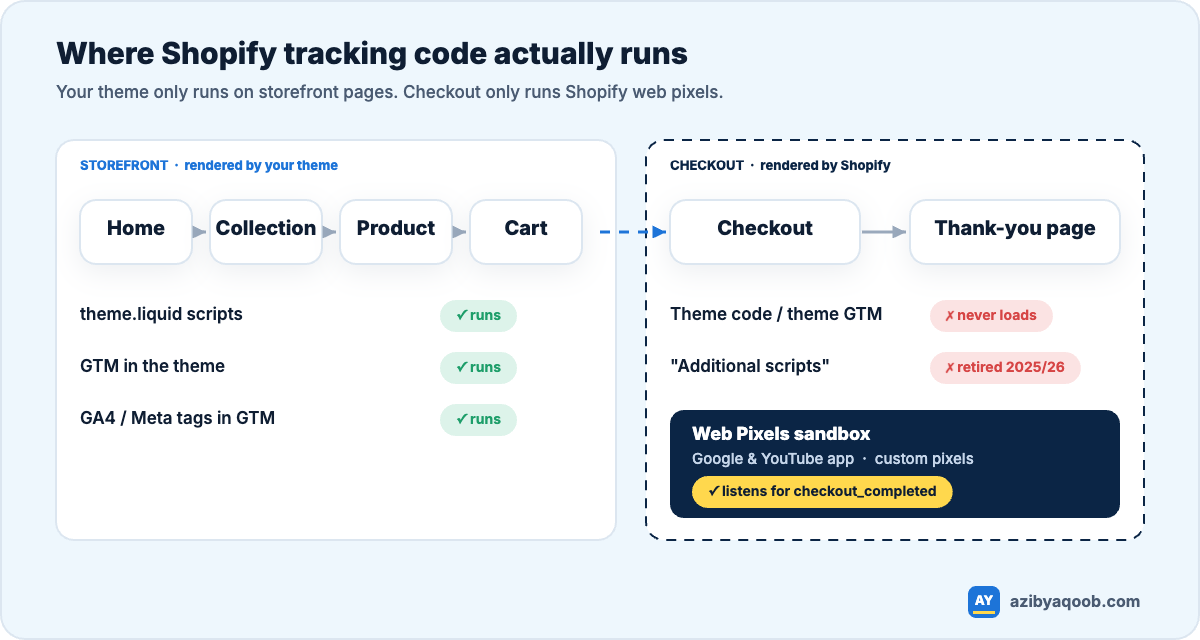
Once you see it this way, most problems explain themselves.
Part 1: When purchases don’t arrive at all
1. The purchase tag lived in “Additional scripts”
The old Additional scripts box on the order status page was retired: for Shopify Plus stores in August 2025, and for every other plan on August 26, 2026. If your purchases dropped off a cliff around one of those dates, this is almost certainly why. Nothing in the theme will bring it back.
2. You’re relying on GTM in the theme
GTM in theme.liquid is perfectly fine for page views, product views and add-to-cart. It simply never sees checkout. It’s common to find setups where someone built a beautiful GTM container with a purchase trigger that has never once fired.
3. Two pixels cancel each other out
The Google & YouTube app sends purchases. Then a developer adds a custom pixel that sends them too. Now GA4 gets two purchases per order, someone notices revenue is double, and they disable one of them, often the wrong one, or both.
Open Settings → Customer events and write down every app pixel and custom pixel that talks to Google. You want exactly one source for purchase.
4. The app is pointing at the wrong property
Boring, but common after an agency hand-over. Check which G- Measurement ID the Google & YouTube app is connected to before you debug anything else.
5. Consent is blocking it
Shopify’s pixels follow the visitor’s privacy choice. If your banner blocks analytics until consent and a visitor declines (or ignores it), that purchase isn’t sent. In the EU and UK this alone can explain a large share of the gap. Make sure your consent app supports Google Consent Mode, so GA4 can model what it can’t observe.
My take: for most stores, the Google & YouTube app is the right choice for purchases. It’s maintained by Google and Shopify, it survives checkout changes, and it handles consent. Build a custom pixel only when you need something the app can’t do, like a specific revenue definition or sending to a server-side container.
Part 2: When purchases arrive without a source
This is where it gets more technical, and where most of your debugging time should go.
6. Payment gateways steal the credit
The customer leaves for PayPal or Klarna, pays, and comes back. If those domains aren’t excluded, GA4 can start a new session with paypal.com as the source. Add them in Admin → Data streams → (your stream) → Configure tag settings → List unwanted referrals.
7. A custom pixel loses the visitor’s identity
This one catches a lot of hand-built setups. A custom pixel runs inside a sandboxed iframe on a different origin. If it loads gtag.js naively, GA4 inside that iframe doesn’t see the _ga cookie from your storefront. It creates a new client ID, and the purchase lands in GA4 as a brand-new visitor with no source.
The fix is to read the storefront’s _ga cookie through Shopify’s browser.cookie API and pass the client ID explicitly, and to send the real page URL instead of the sandbox URL. A stripped-down version looks like this:
// Settings → Customer events → Add custom pixel
const MEASUREMENT_ID = 'G-XXXXXXXXXX';

const s = document.createElement('script');
s.src = 'https://www.googletagmanager.com/gtag/js?id=' + MEASUREMENT_ID;
s.async = true;
document.head.appendChild(s);
window.dataLayer = window.dataLayer || [];
function gtag(){ dataLayer.push(arguments); }
gtag('js', new Date());

analytics.subscribe('checkout_completed', async (event) => {
  // Reuse the storefront visitor's GA client ID, e.g. "GA1.1.123.456" -> "123.456"
  const ga = await browser.cookie.get('_ga');
  const clientId = ga ? ga.split('.').slice(-2).join('.') : undefined;

  gtag('config', MEASUREMENT_ID, {
    send_page_view: false,
    client_id: clientId,
    page_location: event.context.document.location.href
  });

  const c = event.data.checkout;
  gtag('event', 'purchase', {
    transaction_id: c.order?.id,
    value: c.subtotalPrice?.amount,   // agree your revenue definition first
    currency: c.currencyCode,
    tax: c.totalTax?.amount,
    shipping: c.shippingLine?.price?.amount,
    items: c.lineItems.map((li) => ({
      item_id: li.variant?.sku || li.variant?.id,
      item_name: li.title,
      price: li.variant?.price?.amount,
      quantity: li.quantity
    }))
  });
});
Treat this as a starting point, not copy-paste production code. Field names follow Shopify’s current Web Pixels API, so check their docs, and decide deliberately whether “value” includes shipping and tax. Whatever you choose, use the same definition everywhere, including Google Ads.
8. You’re testing with an ad blocker on
Obvious once said, but a surprising number of “it’s broken” reports turn out to be an ad blocker. Test in a clean browser profile with no extensions.
How to verify a fix
Don’t trust a green tick in an app. Check what actually leaves the browser.
- Open DevTools → Network, filter for
collect, and place a test order. - Find the request with
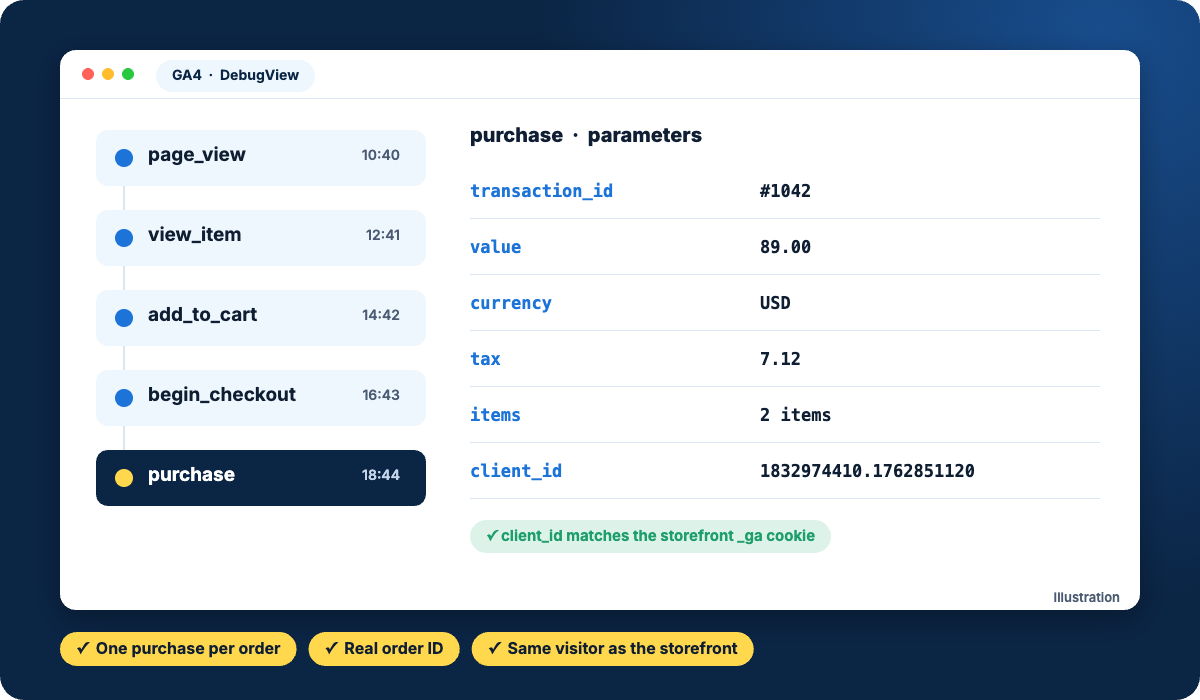
en=purchase. Check thatep.transaction_idis your order number and thatcidmatches the client ID in your storefront’s_gacookie. If thecidis different, attribution will break. - Confirm it in GA4 under Admin → Data display → DebugView.
- After a week, compare GA4 purchases to Shopify orders for the same dates. A gap of 5–15% is normal. Then check Reports → Acquisition → Traffic acquisition: if “(direct)” or “(not set)” is suspiciously large for purchases, you still have an attribution problem.
Why GA4 will never match Shopify exactly, and that’s fine
Shopify counts every order. GA4 counts the orders it could see: some visitors block tracking, some decline cookies, some orders are created by staff or come from other channels. Chasing a perfect match wastes time. What you want is a small, stable gap you can explain, and sources you can trust.
If you’re starting from scratch, my guide to setting up GA4 on Shopify covers the basics, and Google Ads conversions not tracking on Shopify covers the same problem from the ads side.
Want a second pair of eyes? I set up and fix GA4 e-commerce tracking on Shopify so purchases arrive once, with the right value and source. See GA4 tracking setup or ask for a free tracking check.