The short version
- “Direct” in GA4 doesn’t mean “typed your URL”. It means GA4 couldn’t tell where the visit came from.
- WhatsApp, email apps, PDFs, QR codes, redirects and missing UTMs all end up there.
- Direct in your sessions report and Direct in your conversions report are different things, and the second is the one worth worrying about.
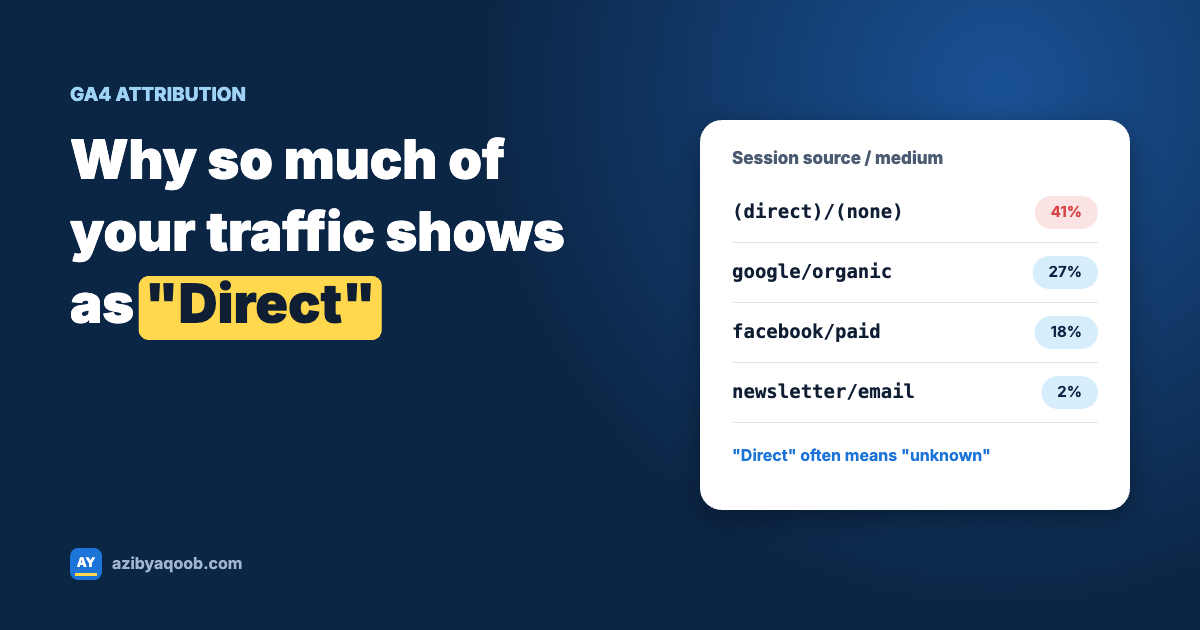
Most store owners read a big “Direct” number as good news: people know the brand and come straight to the site. Some of them do. But “Direct” is really GA4’s label for “I don’t know”. Every visit that arrives without a referrer and without campaign tags lands there, wherever it actually came from.
That matters because “I don’t know” doesn’t get budget. If WhatsApp broadcasts or your email newsletter are quietly driving sales but showing up as Direct, they’ll look worthless next to channels that tag their traffic properly.
Table of Contents
What actually ends up in Direct
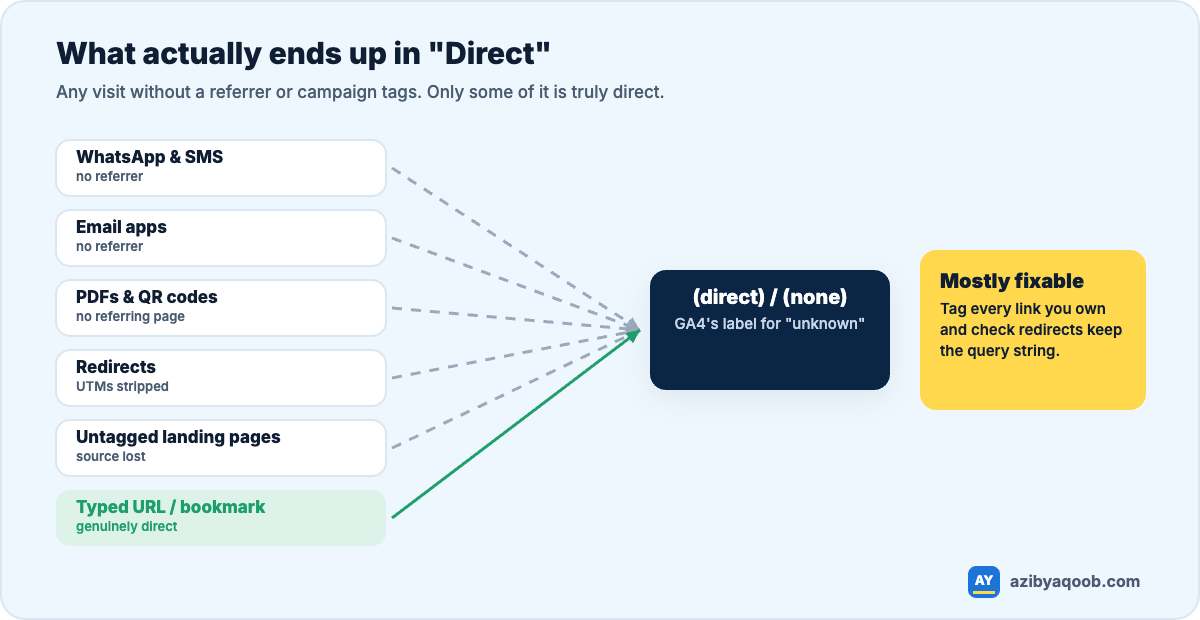
- Messaging apps. Links opened from WhatsApp, Telegram, Signal and SMS usually arrive with no referrer at all.
- Email apps. Desktop and mobile mail apps (Outlook, Apple Mail, Gmail’s app) generally don’t pass a referrer. Without UTMs, your newsletter looks like Direct.
- Documents and QR codes. Links inside PDFs, invoices, slides and printed QR codes have no referring page.
- Redirects that drop parameters. A link shortener, an old 301 redirect or a country redirect that doesn’t carry the query string strips your UTMs on the way.
- Referrer policies. Some sites send no referrer on outgoing links, or only send it to secure (HTTPS) pages.
- Pages without your GA4 tag. If someone lands on a page where GA4 doesn’t load (a landing page builder, a subdomain) and then moves to a page where it does, the original source is gone.
- Genuinely direct visits. Typed URLs, bookmarks, returning customers. The real ones.
Sessions vs conversions: the distinction most people miss
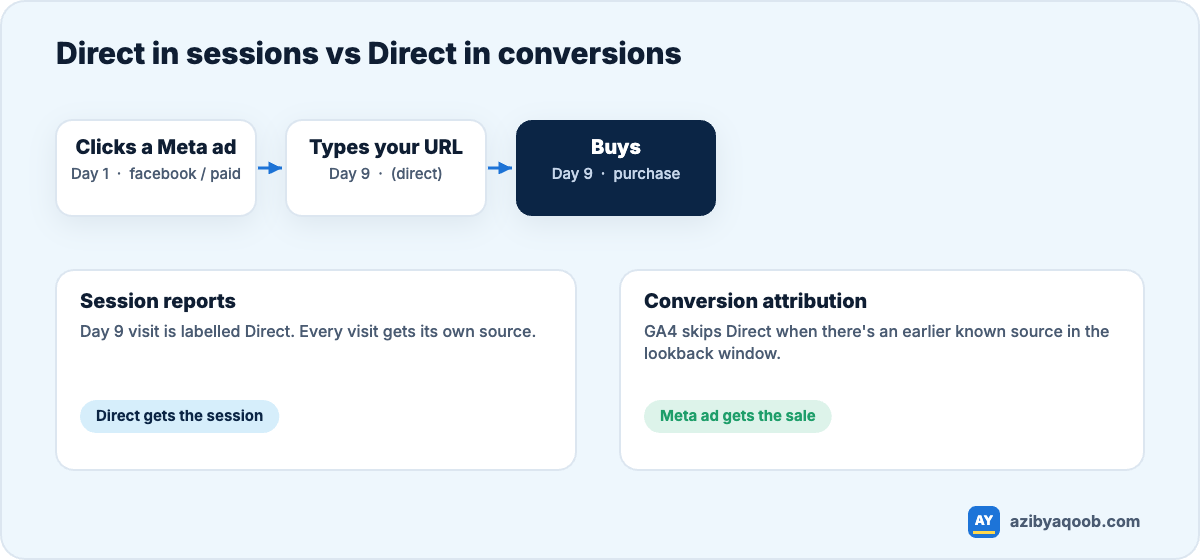
GA4 treats Direct differently depending on which report you look at.
In session-based reports (Reports → Acquisition → Traffic acquisition), every visit is labelled by its own source. A returning customer who types your URL shows as Direct, even if they first found you through an ad.
In conversion attribution, GA4’s default model mostly ignores Direct when there was an earlier known source in the lookback window. Credit goes to that earlier channel instead. So if Direct is large in your conversions, GA4 genuinely had no earlier source for those buyers. That’s the number that signals a tracking gap.
My view: don’t try to get Direct to zero. You can’t, and some of it is real. Aim to get the controllable part out of it: every link you own should be tagged. After that, Direct becomes much easier to interpret.
How to shrink Direct
1. Tag every link you control
Newsletter links, WhatsApp broadcasts, SMS, social bios, influencer links, QR codes, PDFs, email signatures. If you created the link, add UTM parameters. A consistent naming system matters as much as the tags themselves; see my guide to a simple UTM system for WhatsApp, email and influencer links.
2. Check that redirects keep the query string
Test it: open yourstore.com/any-page?utm_source=test and see whether the parameter is still in the address bar after the page loads. Do the same for non-www to www, http to https, and any country or language redirects. If utm_source disappears, so does your attribution.
3. Make sure GA4 loads on every landing page
Landing page builders, checkout subdomains and help centres are common gaps. If a page can be someone’s first page, it needs the tag. On cross-domain journeys, set up GA4’s cross-domain measurement so the visit carries over.
4. Exclude payment gateways and your own domains
This one works the other way: PayPal and similar gateways can steal credit as referrals. Add them under Admin → Data streams → (stream) → Configure tag settings → List unwanted referrals.
5. Look at landing pages, not just the channel
In an exploration, break Direct sessions down by landing page. Direct traffic landing on your homepage is probably real. Direct traffic landing on a deep product page or a campaign URL almost certainly came from a link you didn’t tag.
A quick way to see how much Direct is “fake”
- Go to Reports → Acquisition → Traffic acquisition.
- Add a secondary dimension of Landing page + query string.
- Filter to Session default channel group = Direct.
- Look for deep pages, campaign pages and URLs with leftover parameters. Each one is a link you can tag.
Want your channels reported properly? I set up GA4 so sales are credited to the channels that actually drive them. See GA4 tracking setup or ask for a free tracking check.