Last Updated on by Azib Yaqoob
More people now ask an AI tool “is this person legit?” or “what do people say about this company?” instead of scrolling through search results. If the answer includes something negative, wrong or outdated, you cannot fix it by editing a page, because the answer is generated.
This guide shows how to check what AI tools say about you, trace the sources behind a bad answer, and fix the problem where you can. It builds on the main guide to remove negative search results from Google.
Quick answer
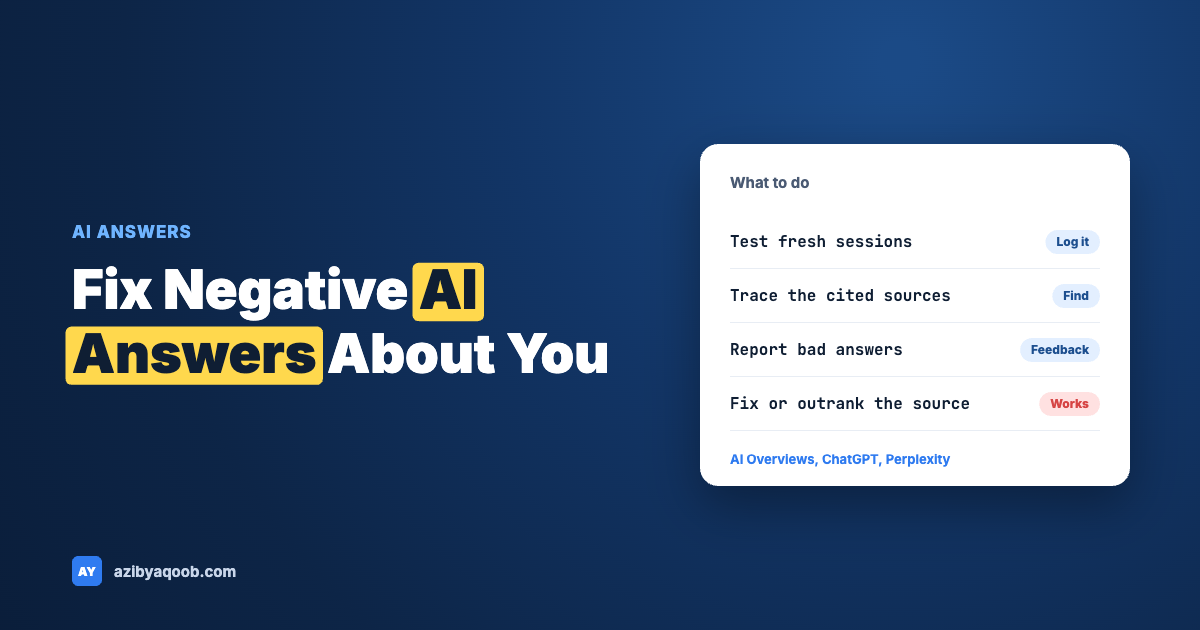
- You usually cannot edit an AI answer directly. The practical lever is the sources: correct, remove or outrank the pages the answer draws on.
- Test first. Ask several tools about your name or brand in fresh sessions and log the answers and cited sources.
- Use the feedback options. Google’s AI Overviews and most chat tools have report buttons. They are slow and not a guarantee, but they are free.
- Nobody has reliable numbers on how often AI answers get people wrong, so ignore any precise percentage you see on this topic.
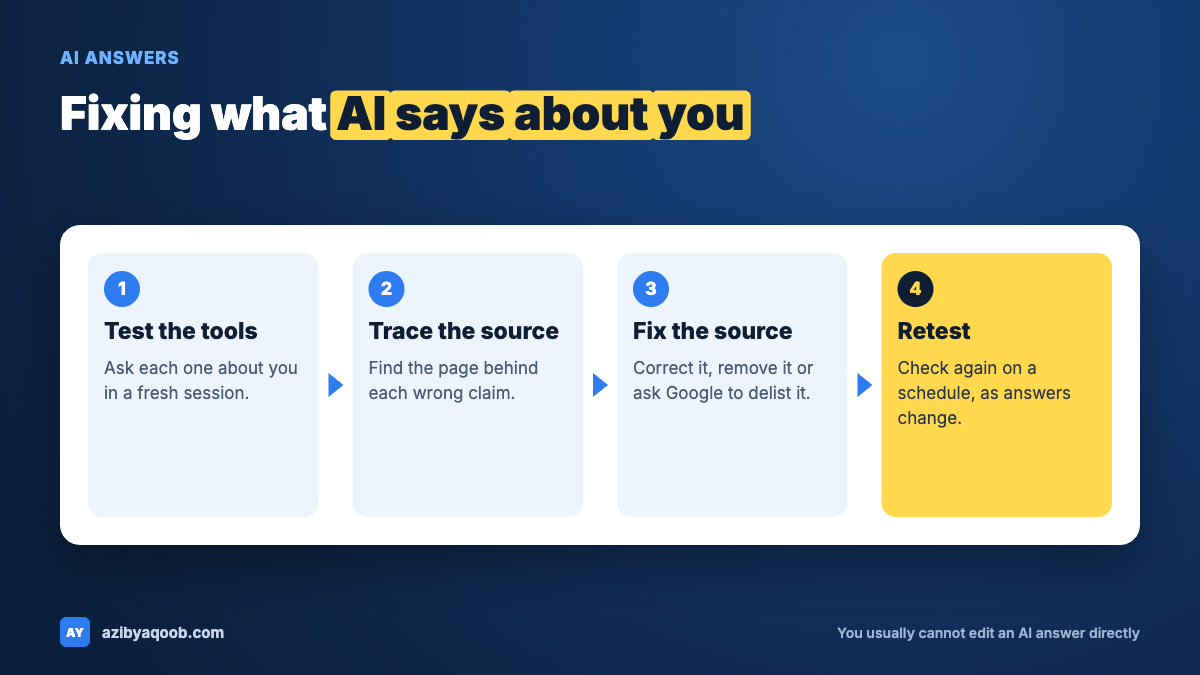
Table of Contents
How AI answers get their information
Different tools work differently, and the details change often. As of November 2026, there are two broad patterns:
- Search-grounded answers. Google’s AI Overviews and tools such as Perplexity or ChatGPT with search turned on look up web pages and write a summary, often with links to the pages they used. Google’s help page on AI Overviews in Search says the feature shows a snapshot with links to supporting web pages, and it warns that AI responses may include mistakes.
- Answers from training data. A chat model without search may answer from what it learned in training. That information can be old, thin or mixed up with someone who has a similar name.
For you, the difference matters. If the answer cites pages, fixing those pages can change the answer. If it comes from training, you have fewer options and you wait for model updates.

Step 1: Test what the tools say about you
Open a fresh session or a private window for each test, so your history does not shape the answer. Ask the questions a client, employer or journalist might ask:
- Who is [your name]?
- Is [your name or company] legit or a scam?
- What do people say about [company] reviews?
- Does [your name] have any complaints or news coverage?
Run each question in Google (check whether an AI Overview appears), ChatGPT, Gemini, Claude and Perplexity, or whichever your audience actually uses. Record the date, the tool, the exact question, the answer and any sources it cited. Answers vary from one run to the next, so run the important ones two or three times.
A spreadsheet works. Columns: date, tool, question, what it said, accurate or not, sources cited, negative source URL.
Step 2: Trace each bad claim to a source
For each wrong or negative statement, ask the question that matters: where did this come from? Tools that cite sources make this easy. For tools that do not, you can ask them, but be careful: a model can invent a source that sounds real. Open every link yourself.
I will paste an AI answer about my business and the links it cited. For each claim in the answer, tell me which of the pasted sources, if any, supports it. If a claim has no support in the pasted text, label it "not supported". Do not add outside facts and do not guess.Paste the answer and the text of the cited pages under the prompt. This works only on text you supply. It cannot check what a live search index contains, and it can still make mistakes, so read the sources yourself.
Typical culprits are a review site, a news article, a forum thread, an old directory listing, a data broker page or a page about a different person with the same name. Each has its own fix. If the source is a Reddit thread, see how to remove a Reddit thread from Google. If it is a news article, the same logic applies: correct it, request an update, or outrank it.
Step 3: Fix the source
Fixing the source is the most reliable method, because AI tools that search the web rely on pages that exist. Your options, in order:
- Ask the owner to correct or delete. Short, polite, with the exact URL and the exact problem.
- Use Google’s tools where they apply. Private contact details can go through Results about you. Private info and doxxing go through Google’s private info removal page. Defamation has its own route, described in Google’s Defamation Overview.
- Refresh outdated results. If the page already changed but old text lingers, request a refresh of outdated content.
Removal from Google Search removes the listing, not the page, and it does not guarantee that other AI tools stop using the page. Treat each tool separately.
Step 4: Give AI tools better material
When a bad source cannot be removed, the strategy is to make accurate sources easier to find and easier to quote. AI tools summarise what they find, so clear, consistent, well-structured pages about you give them better raw material.
- An About page that states plain facts: who you are, what you do, where you are based, how long you have done it, and how to contact you.
- Consistent details across profiles. Use the same name, role and company description everywhere: LinkedIn, your site, your Google Business Profile and directory listings.
- A short FAQ on your site that answers the questions people ask about you, including the awkward one, if it is something you can address honestly.
- A correction or statement page if a false claim is spreading. State the facts, give dates and link to documents. Do not attack the source.
- Mentions on trusted sites: interviews, guest posts, press, associations. These are the kinds of pages AI tools often cite.
You can use AI to draft the structure, but you must supply the facts.
Draft an About page for [name or company]. Use only these facts: [list of facts, with dates and numbers you can prove]. Write in plain English, in short paragraphs, with headings for Who we are, What we do, Where we work and How to contact us. Do not add awards, clients, numbers or claims that are not in my list.This is the key rule when using AI for reputation work: it will fill gaps with plausible inventions, so give it facts and forbid additions. A page full of invented claims creates a new problem.
Step 5: Use the report and feedback options
Most tools have a way to report a bad answer.
- Google AI Overviews: Google’s help page says each overview has thumbs up and thumbs down buttons. Thumbs down leads to “Report a problem” where you pick a category and add details. The feedback includes your search and its results. The same page says you cannot turn AI Overviews off.
- ChatGPT and other chat tools: use the thumbs down or report option on the answer. OpenAI also has a help article titled “Right to be forgotten and personal data removal from ChatGPT”, which covers requests about personal data. Read it to see whether your case fits. It is about personal data, not about opinions you dislike.
- Perplexity, Gemini, Claude and others: each has feedback buttons. Use them, and keep a screenshot of the answer and the date.
Report only real errors. Be specific: quote the wrong sentence, say what is correct and give a URL that proves it. Expect slow or no replies. Feedback is not a removal service.
Step 6: Suppression still helps
AI tools that search the web often start from the same pages that rank in Google. So when you suppress negative search results, you may also change which pages these tools see and cite. I cannot give you reliable data on how strongly one affects the other, and the tools change often, so treat it as a likely benefit, not a promise. The method is the same as for classic search: build owned pages, earn mentions, publish useful content and monitor.
Name mix-ups
If the answer confuses you with someone else, the fix is differentiation. Add details to your pages that separate you: middle name or initial, city, profession, company, photo, and links between your profiles. State clearly that you are not the other person if that is a real and known problem. Do not name or attack the other person.
Confidential help
Seeing something wrong about you in AI answers?
If you need help with what AI tools say about you, send me the answers and the sources they cite. I will tell you which sources can be corrected and which need suppression.
Get confidential helpYour message stays private. No obligation.
Keep checking
AI answers change, so retest on a schedule. Monthly is enough for most people. Keep your log and note changes after you fix a source. For tracking your own pages in classic search, see how to check your website’s keyword ranking accurately. Set a Google Alert on your name using Google’s Create an alert page to catch new pages early.
One honest lesson from classic reputation work carries over: results can shift suddenly. With one long-term client, a negative result sat still for months and then cleared after a Google update. Do not assume your current AI answer is permanent, good or bad.
FAQ
Can I remove my name from AI Overviews?
Not directly. Google says you cannot turn AI Overviews off, and it offers a thumbs-down report option for problems. The practical route is to fix or outrank the pages an overview relies on, and report incorrect answers.
Can I ask ChatGPT to forget something about me?
OpenAI has a help article on personal data removal requests. It is designed for personal data, and results vary. Check the current article, and be specific about what is wrong. A request is not guaranteed to change an answer.
Why does an AI tool say something false about my business?
Common causes: an old or wrong source page, a review site, a mix-up with a similar name, or a model filling a gap. Test in a fresh session, trace the sources and fix those first.
Will pushing down negative Google results change AI answers?
It can help, because tools that search the web draw on pages that rank well. There is no reliable public data on how much, so treat it as a likely benefit.
Should I write an AI-optimised page about myself?
Write a clear, honest, factual page for people. A good About page and a short FAQ also give AI tools better material. Do not stuff it with invented claims.
Conclusion
You cannot edit what an AI tool says, but you can influence the pages it uses (the main guide shows how to suppress negative search results). Test regularly, trace each bad claim to a source, fix or outrank the source, and give the tools accurate material to quote.
If an AI answer about you is costing you work or trust, you do not have to sort it out alone.
Confidential help
Need help with AI answers about you?
If you need help fixing what AI Overviews or chatbots say about you, tell me what they show. You get a straight answer on what can be removed at the source and what needs suppression.
Talk to me confidentiallyYour message stays private. No obligation.