Last Updated on by Azib Yaqoob
Google’s Results about you tool lets you find search results that show your phone number, home address or email, and ask Google to stop showing them. It is free, it takes a few minutes to set up, and it can send you an alert when new results appear.
This guide walks through each step, explains what the tool will not do, and shows what to do next when it says no. It is a good first move when you want to remove negative search results from Google that expose your personal details, but it does not cover everything.
Quick answer
- Where: in the Google app, tap your profile picture and open Results about you. On the web, go to myactivity.google.com/results-about-you.
- Set up: choose Get started, enter your name and the contact details to monitor, and turn on notifications.
- Request: open a result, select Request to remove, and track it under Removal requests.
- Limit: it handles personal contact information. It does not remove a page just because it is negative, and it does not delete the page from the website.
Table of Contents
What Results about you does
As of November 2026, Google describes the tool as a way to see where your personal contact information shows up in Search and to request removal of results that contain it. You can add several phone numbers, addresses or email addresses, and nicknames or maiden names, and Google looks for results that match them.
It is not a general reputation tool. It will not help with a bad review, a critical article or a forum thread that does not contain your private details. For those, see the wider overview on how to remove negative search results from Google.
Step 1: Open the tool
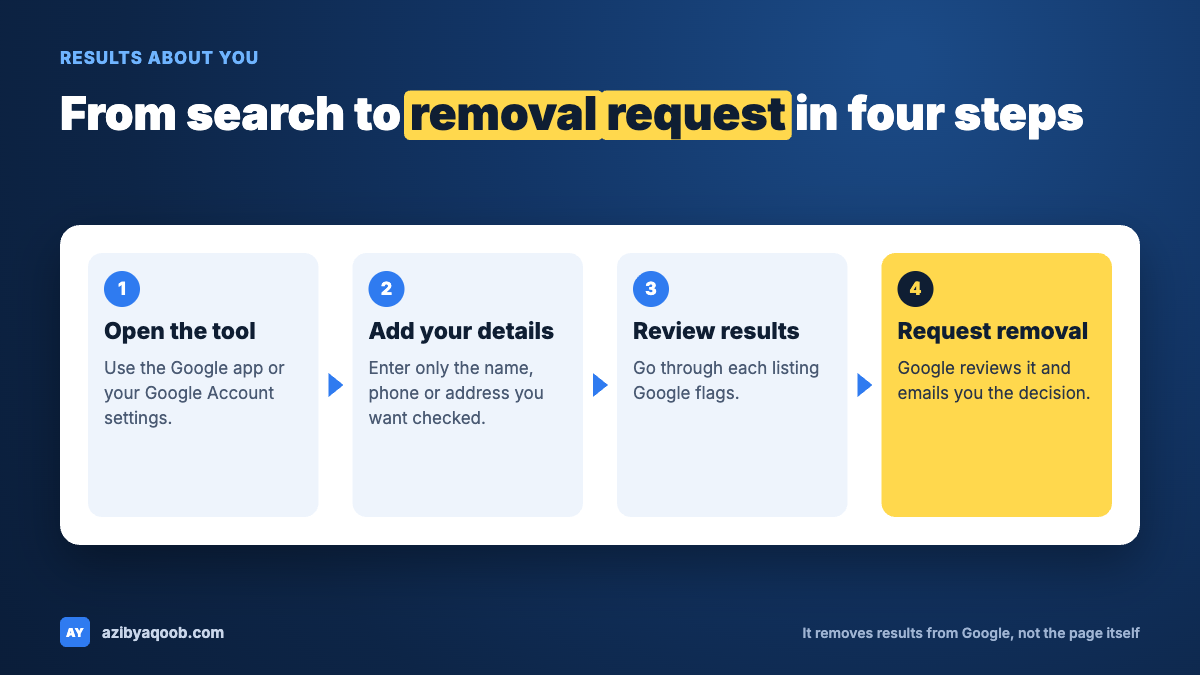
- Google app: tap your profile picture or initial, open the Menu, and select Results about you.
- Mobile web or desktop: go to myactivity.google.com/results-about-you.
- You need to be signed in to a Google account. Google notes that some features are rolling out only to users over 18 in certain markets.
Step 2: Add what to monitor
- Select Get started or Settings.
- Enter your name and the personal info you want Google to look for. You can add nicknames, maiden names and more than one phone number, address or email.
- Turn on notifications, by email or in the Google app.
Only enter details that are yours, and only what you are comfortable with Google storing for matching. Fewer details mean fewer matches, but more details increase what Google is processing.
Get your list ready first
It helps to prepare before you start. A short list of every variation of your name and contact details saves back-and-forth, and an AI tool can help you spot ones you forgot. Keep the real details out of prompts if you can. Describe the categories instead.
I want to check which personal details of mine might appear on public websites.
I am a [profession] in [city, country]. I have used [number] email addresses and [number] phone numbers over the last 10 years, and I have lived at [number] addresses.
Create a checklist of the types of personal information and name variations I should enter in a search-monitoring tool (for example: nicknames, maiden name, old numbers). Do not ask me for the actual details. Give me a table with columns: item, why it matters, where it might appear online.
What it does: builds a personal checklist without you pasting private details into a chat. Fill in only the general information in brackets.
Step 3: Review the results
- After setup, Google says you should get a notification within a few hours if matching results exist.
- To check manually, open the To review tab. Selecting a result shows the website and which personal info it contains.
Go through each one. Some will be harmless pages you already know about, and some will be people-search or data broker listings you did not know existed.
Step 4: Request removal
- Expand a result and select Request to remove, or select Mark as reviewed if you do not want to start a request.
- You receive a confirmation email.
- Track the request under Removal requests.
Google says approved removals usually mean the URL will not appear in any search, though in some cases it only stops appearing for searches that contain your name. It also says removal can take a few hours to take effect after approval.
Confidential help
Found something the tool will not remove?
If you need help with a result that Results about you will not remove, send me the details. I will tell you which other routes exist and what would need suppression.
Get confidential helpYour message stays private. No obligation.
What the tool will not do
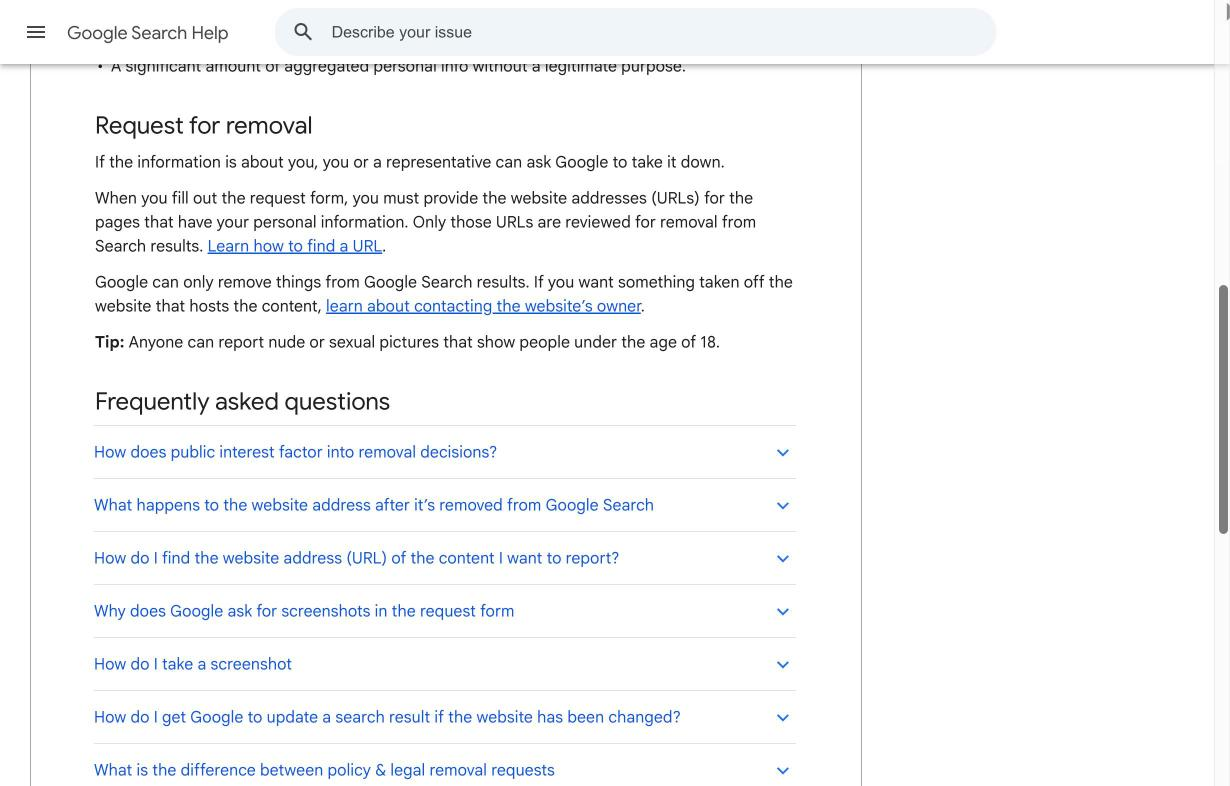
- Delete the page. Removal from Search does not remove the information from the source page. To do that, contact the website owner.
- Remove public-interest sources. Google says it generally does not remove information from government, educational or newspaper sites, because it considers it valuable to the public. Some results from those source types may not offer a removal option at all.
- Handle content you control. Requests must involve your personal info, and you must not be able to remove the content yourself, for example from a social profile or blog you own.
- Guarantee approval. Google may deny a request, and the reason appears on the Results about you page.
- Work on behalf of someone else. Requests for another person made from your account may be denied. Use the detailed removal request form instead.
- Bring it back easily. You can undo a request, but the URL may not return, especially if someone else’s approved request covers it. Misusing the tool can cost you access.
What to do when Results about you does not fit
The tool is one of several Google routes. If your issue is something other than contact details, a different request may apply:
- Government ID numbers, bank details, private records or doxxing: Google’s personal info removal page.
- Explicit or fake intimate images: Google’s personal sexual content removal request.
- A page that was already changed or deleted but still shows old text: Google’s tool for refreshing outdated content. Our walkthrough on removing old or outdated pages from Google Search explains it.
- False statements: Google’s defamation overview, and a lawyer if the claim is serious.
If the listing sits on a news site, read how to remove negative news articles from Google, since news gets different treatment. If nothing works and the page is negative rather than private, the route is to suppress negative search results with better pages.
A 15-minute routine
If you want a simple routine rather than a one-off clean-up, this works for most people:
- Open Results about you and check the To review tab.
- For each result, ask: is this my private contact info, and is it on a page I cannot edit myself?
- If yes to both, request removal. If the page is yours, fix it at the source instead.
- If it is a people-search or data broker site, also use that site’s opt-out page. Google’s removal only hides the listing in Search.
- Note the date and the URL in a simple sheet so you can see if a listing returns.
- Come back in a month and compare.
The sheet matters. A removal can look like a win and then undo itself when a site republishes the page under a new address. A record of URLs and dates tells you when it happened, and it gives you evidence if you need to escalate.
Keep it working over time
- Leave notifications on so new listings are flagged.
- Review the To review tab now and then, even if you get no alerts.
- Set a Google Alert on your name as a backup. Google’s help page on creating an alert covers the steps.
- Repeat removals where needed. Data broker listings can come back, so expect to check more than once.
The practical value of the tool is monitoring. Even if you never request a removal, knowing what appears for your name helps you act early. I think everyone, not only people in business, should look at their own name from time to time.
A fair criticism
The tool is a step forward, but it mostly covers contact details. An ordinary person with an unfair but legal result has very few options of their own. I would like Google to give people more ways to manage what appears for their name. Until then, a mix of source outreach and suppression fills the gap. For a broader view of reputation work, see how to repair your online reputation.
FAQ
What is Google’s Results about you tool?
It is a free tool that shows search results containing your personal contact information, lets you request removal and can notify you when new results appear.
How long does a Results about you request take?
Google says you receive a confirmation email and can track status under Removal requests. It says removal can take a few hours to take effect after approval. It does not give a guaranteed review time.
Does it remove the page from the website?
No. It only removes the result from Google Search. To delete the page itself, contact the website owner.
Why was my request denied?
Google says the reason appears on the Results about you page. Common limits include content from government, educational or newspaper sites, content that does not contain your personal info, and content you can remove yourself.
Can I use it to remove negative reviews or articles?
Not by itself. The tool is for personal contact info. Reviews and articles need a different route, such as policy reports, a correction request or suppression.
Confidential help
Need help with results about you?
If you need help cleaning up personal information or negative results in Google, tell me what is showing up. You get a straight answer on what can be removed and what needs suppression.
Talk to me confidentiallyYour message stays private. No obligation.